


Transfer to Account
Change the way you
transfer currency
Looking to add money into your checking account?
Skip the lines at the bank. Coinstar lets you transfer coins or cash
into your account with ease. Fees vary by Financial Institution.
Transfer to Account
Change the way you
transfer currency
Looking to add money into your checking account?
Skip the lines at the bank. Coinstar lets you transfer coins or cash
into your account with ease. Fees vary by Financial Institution.
To get started, find a participating kiosk near you.
Transfer to Account makes adding money hassle-free.
No extra trips to the bank. No waiting for funds to clear. No worries.
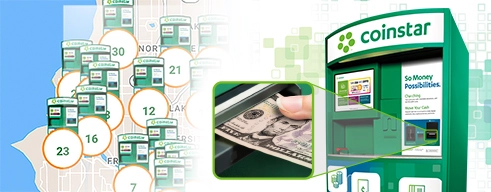
Kiosks around every corner
Our kiosks are in major retailers all across the U.S., in places you frequently go—like the grocery store.
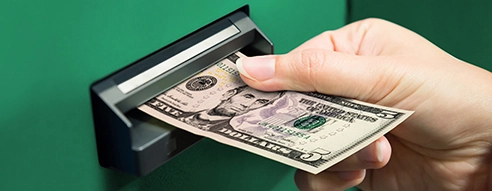
Easy as cha-ching
After inserting your money into a Coinstar kiosk, transfer the total directly into your checking account.

Ready to spend
Your money is available in your account and ready to use in minutes. No 24-hour waiting period here.

Safe and secure
We choose locations that are maintained, well-lit, and in populated areas for your protection and peace of mind.
With your debit card
Transfer money into your checking account using a debit card from one of our partnered banks. Fees vary by Financial Institution.

Step 1:
Select “I have coins” or “I have cash,” then choose “Transfer to Account.”

Step 2:
Insert your debit card with a Visa or Mastercard logo, accept the terms, and add your coins or cash.

Step 3:
Take and confirm the transfer details on your receipt. Your funds will be transferred to your account in minutes.
Our partners provide you with the best perks.
In partnership with national banks and local credit unions, we’re able to offer you the freedom of cash transfers from almost anywhere in the U.S.
Our list of partners is always growing—and so are our perks. Check back often to keep up on the latest news from Coinstar.
Fees vary by Financial Institution.









































Buy Bitcoin & Crypto
Turn your cash into cryptocurrency safely and easily at a Coinstar kiosk.
BROWSE OUR CRYPTO

Donate to Charity
Make your coins count with a tax-deductible donation to a nonprofit charity.
FIND A CHARITY
What is Coinstar Transfer to Account?
Coinstar Transfer to Account lets you move cash or coins into your debit account with one of our partner banks at a participating Coinstar kiosk. Start by selecting “I have cash” or “I have coins,” then choose “Transfer to Account.” Insert your debit card when prompted and follow the on-screen instructions to complete your transaction. Funds will be transferred to your debit account in minutes.
How much does it cost to transfer money into my checking account with Coinstar?
Fees vary by Financial Institution.
Where can I find a participating Coinstar kiosk?
Transfer to Account is available at most Coinstar kiosks. Click here to find a participating kiosk near you.